AI-Powered Experiences
Designing for Trust and Retaining Human-In-The-Loop Control
Role
Lead Product Designer
Timeframe
4 months, for AI Task Helper and AI Timeline Wizard
Impact
Saved per Task (AI Task Helper)
Feature Adoption (AI Timeline Wizard)
Time-to-Create (AI Timeline Wizard)
Team
Product Manager
Project Manager
Business Analyst
Front-End Engineers
Back-End Engineers
Problem
Starting From Zero, Twice
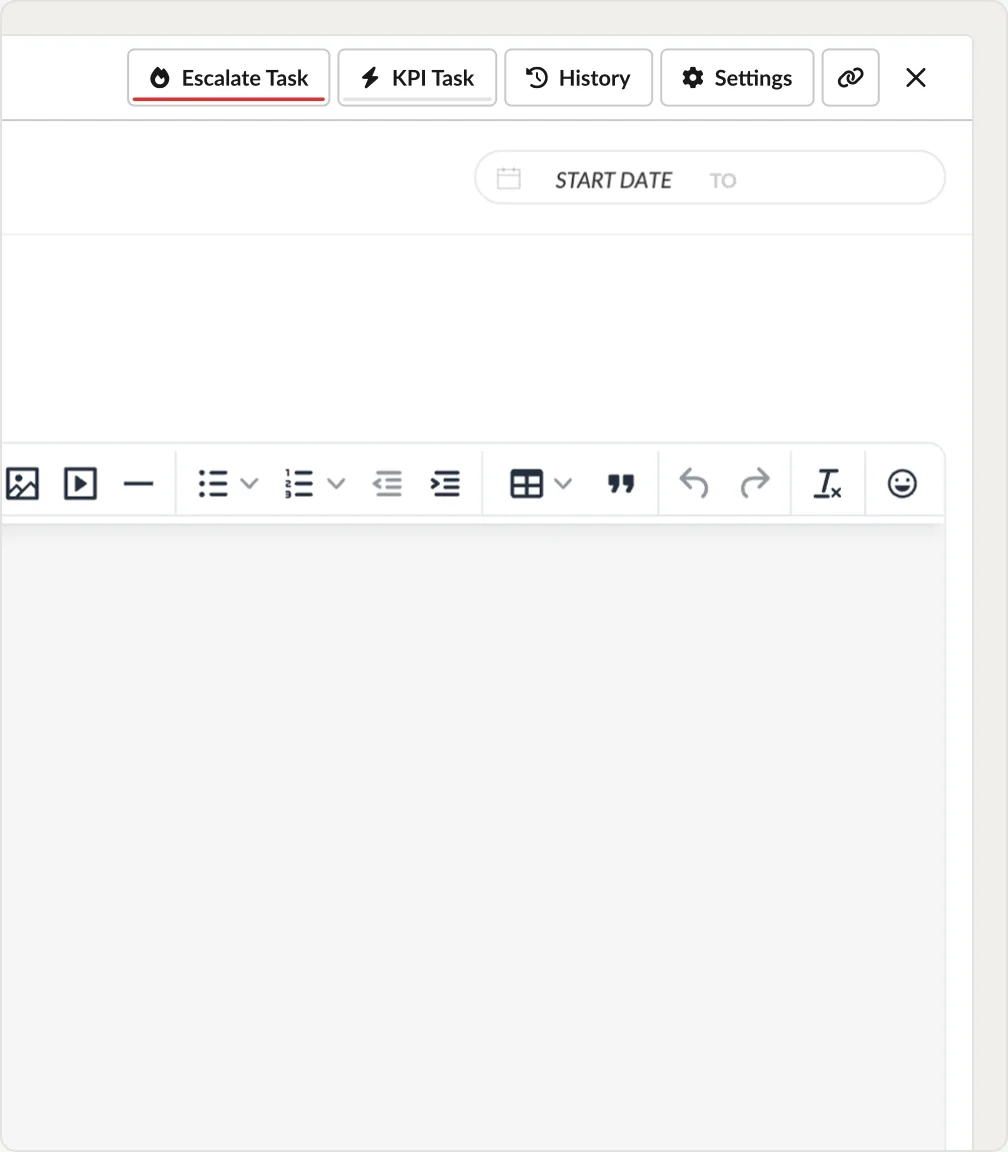
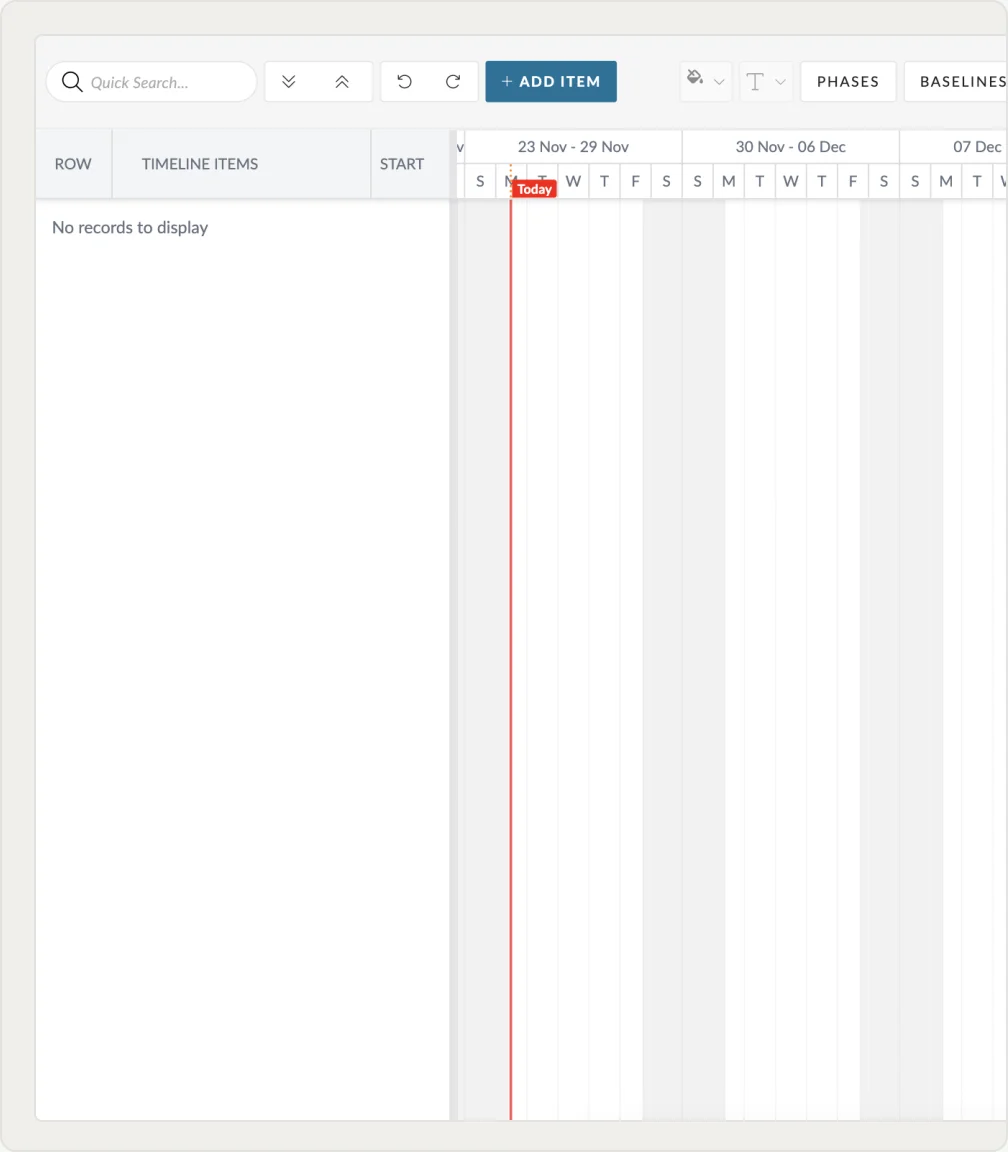
Project managers wrote a full description for every task from scratch. On a forty-task project that is hours of writing before any work starts. Timelines were worse: a blank grid with no obvious entry point, and 72% abandoned their first timeline and went back to a spreadsheet. Both surfaced through support tickets routed via the Product Manager.
Discovery
What They Did Instead
Indirect signals showed where the friction was, not why. I ran user interviews and week-long diary studies following how project managers actually set up tasks and timelines. AI-generated synthetic users were used only to shape early hypotheses ahead of those sessions, as a supplement to real users, never a substitute.
Every task needs a full description with scope and acceptance criteria.
On a 40-task project that is hours of writing before work even starts.
My team spends more time writing tasks than doing them.
Is there a way to speed this up?
We run similar campaigns for different clients and I retype near-identical task descriptions each time.
The wording drifts between PMs so nothing stays consistent.
Can the system draft these for us?
Tried to start a new project timeline and gave up.
Blank grid, no idea where to begin with phases, dependencies or who to assign.
Went back to a spreadsheet in the end.
A starting point or template would make this usable.
Research Synthesis
Accepting Isn't the Same as Typing
Someone filling a field knows what they typed. Someone accepting AI output has to trust the system got it right, every time, across hundreds of projects and timelines. That is a different risk profile from anything else in the product, and it had to be solved before either feature could save anyone time.
This was Pronto's first AI feature. No pattern existed anywhere in the product for how AI-generated content should behave.
Users wanted the time back but assumed the output would sometimes be wrong. Auto-commit meant errors compounding across a project.
A task description is easy to fix after the fact. A timeline structures dependencies across budgeting and resourcing, so the same mistake costs far more.
The Decision
Tested Auto-Commit, Shipped Review-Refine
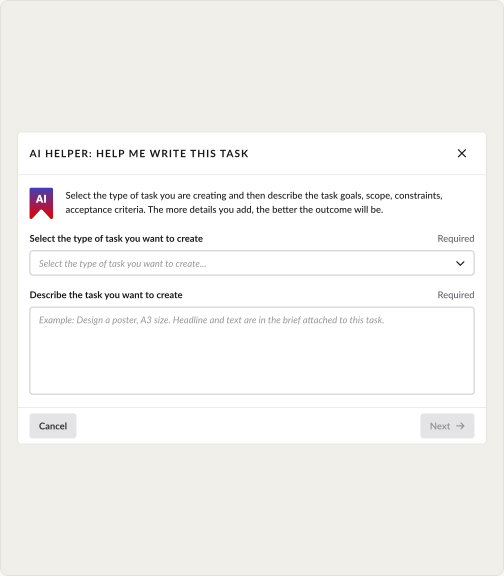
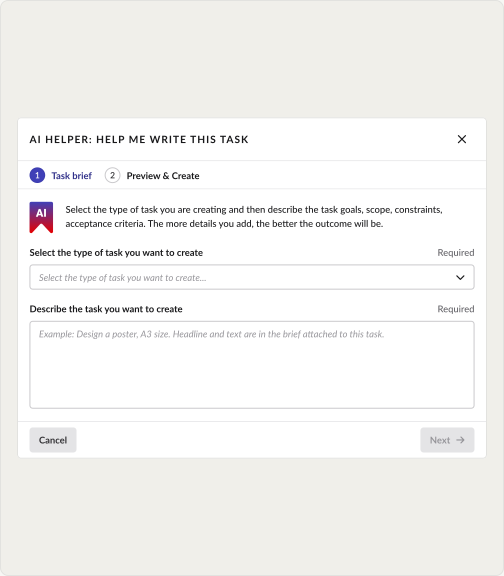
The PRD mandated auto-commit. I built both pathways as working prototypes and tested them comparatively. The AI workflow won on task-setup comprehension, but users would not accept generated content written into a live task unsighted. The test data changed the PRD: the review step was added in direct response to that finding, with full opt-out to manual entry at any point.
Updated Workflow
1
Prompt
The user provides preliminary information via the prompt.
2
Generate
The AI generates the output using the information provided.
3
Review
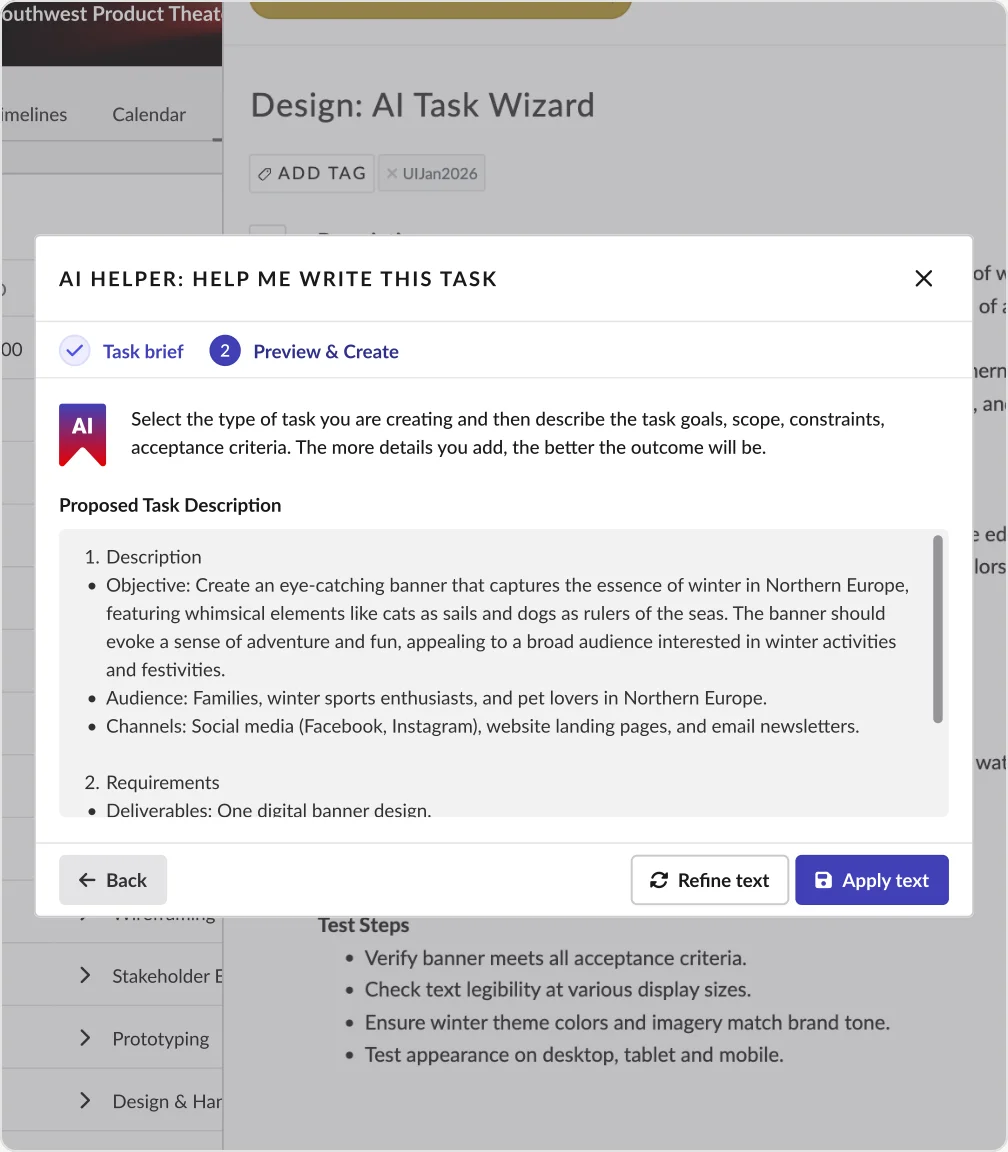
User reviews the output and then decides whether to refine or apply.
4
Refine/Apply
Output is refined with additional prompts, and then committed.
Visual Identification
A Cue, Not a Redesign
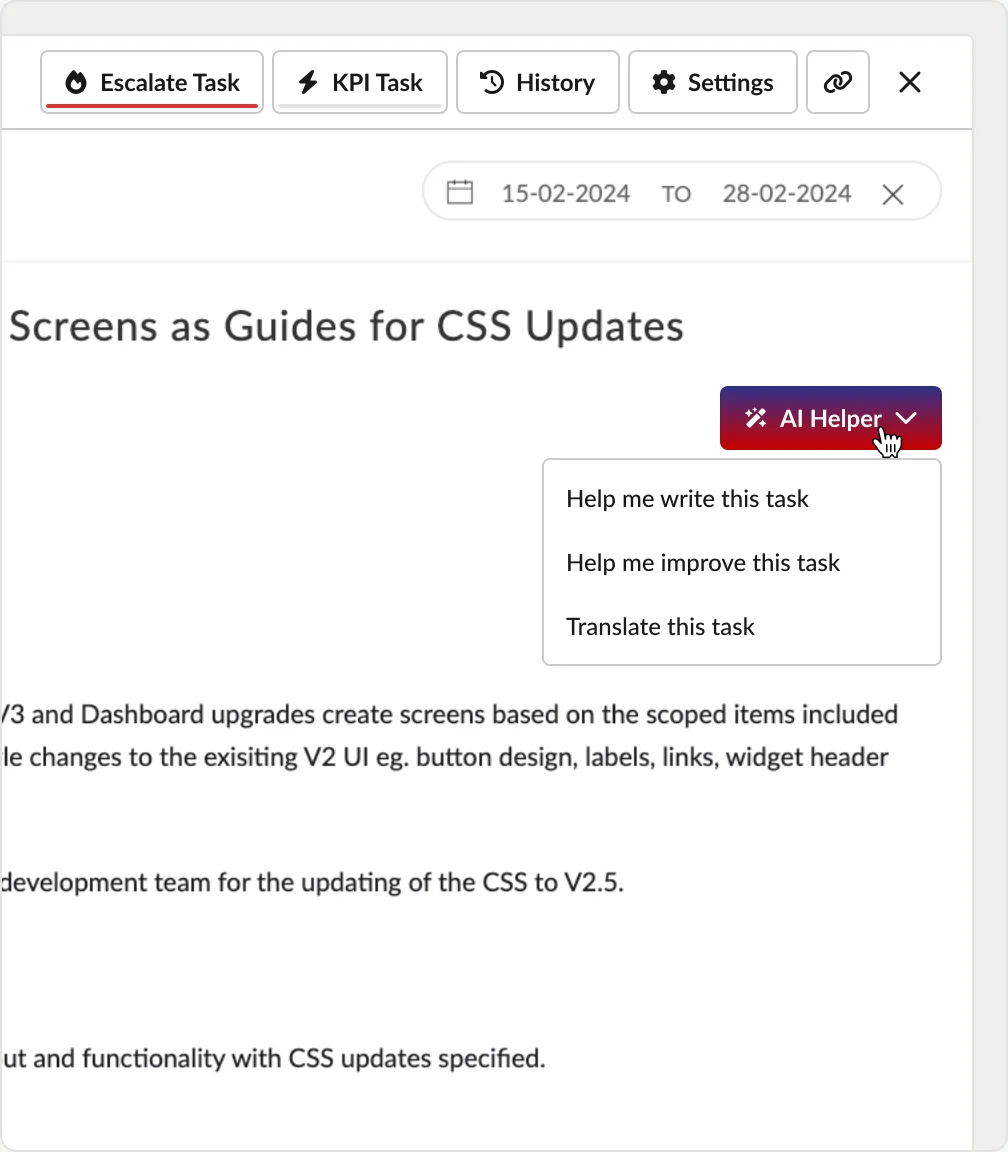
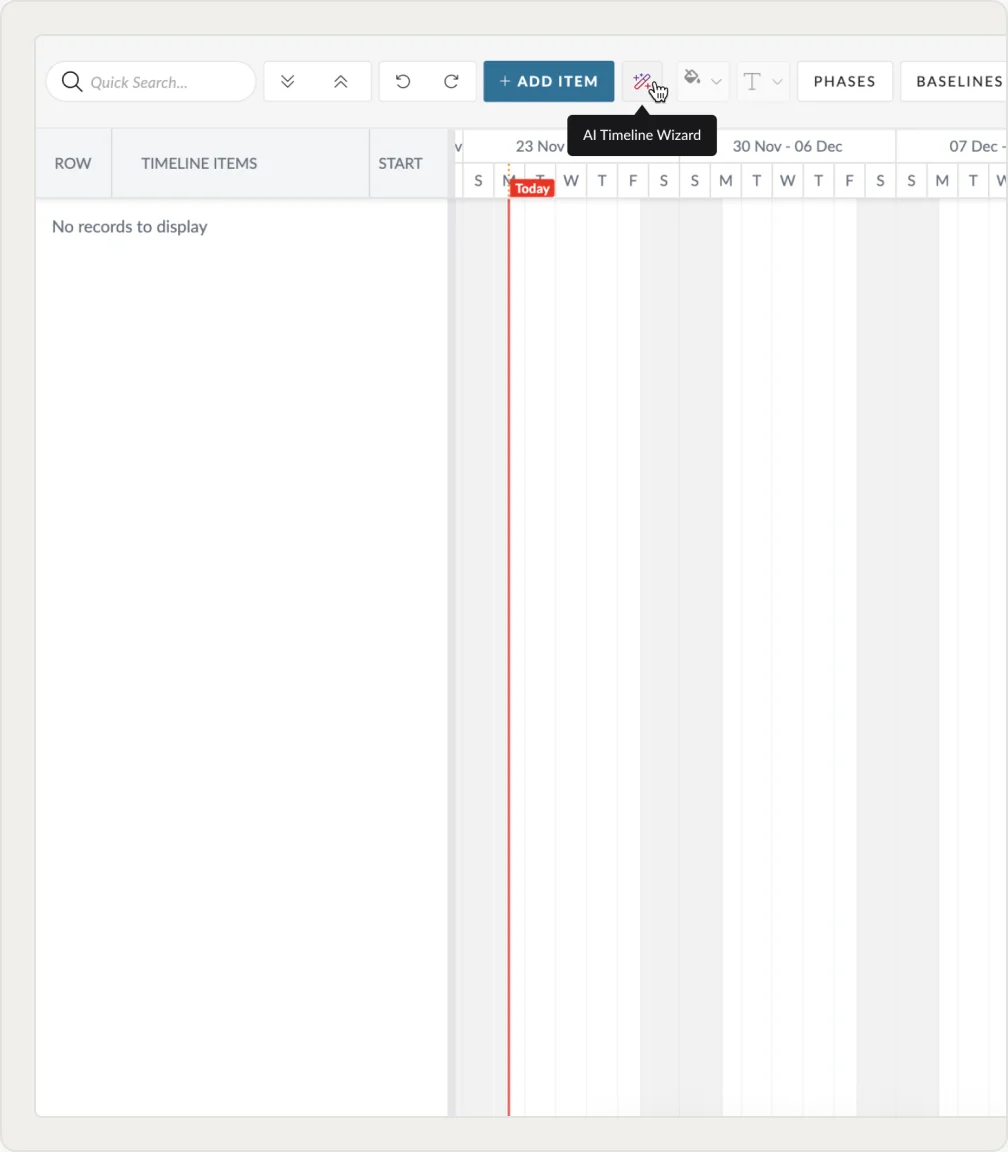
There was no precedent for what AI looked like in the product, so the question was how users would recognise it without breaking the visual harmony of the existing UI. A red-purple gradient set at the same intensity as the primary CTA marked every AI entry point. Placement shifted with context so the entry sat where the work already happened.
System Extension
From Feature to Pattern Set
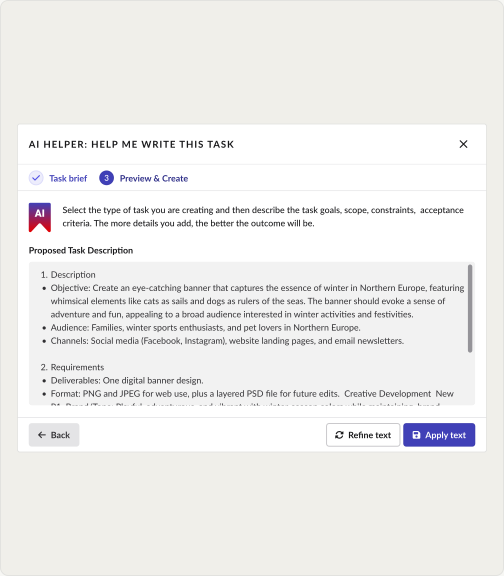
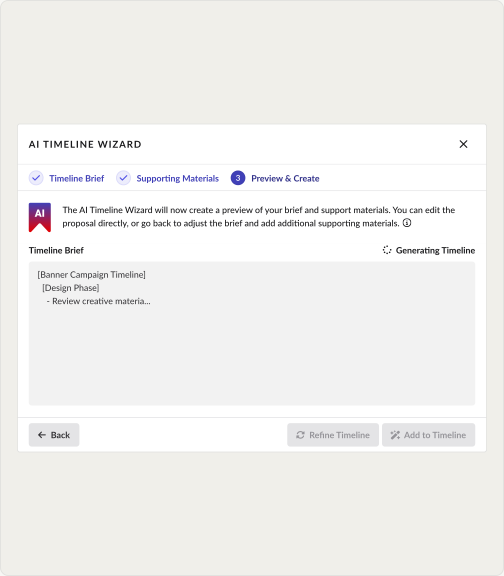
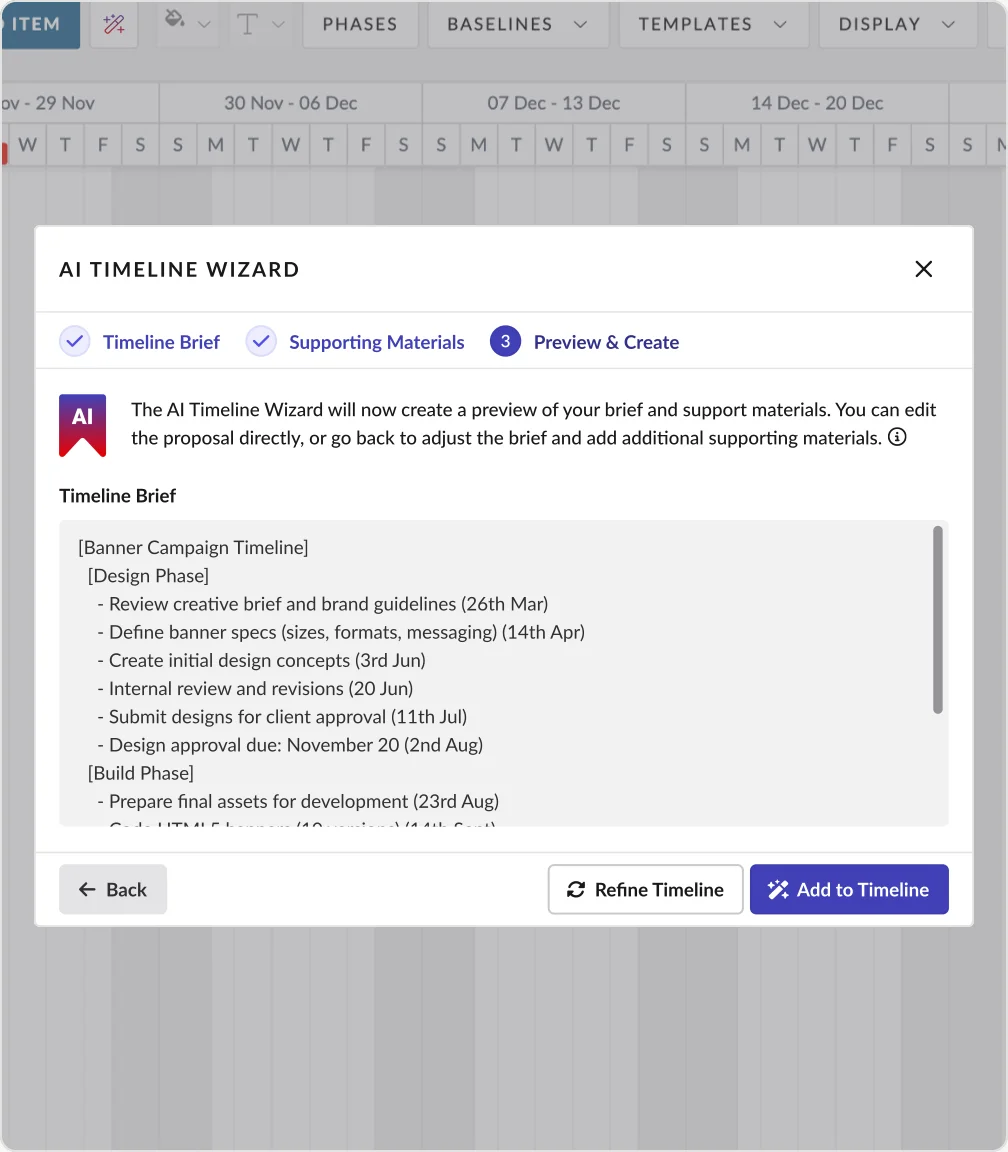
The reusable part was never the model, it was the interface around it. AI Task Helper runs two steps, AI Timeline Wizard runs three, and the review carries more visual weight where a wrong output structures a whole project. Those states went back into the library as defined components, so the next AI feature started from a pattern instead of inventing one.
Failure & Fix
The Step That Got Cut
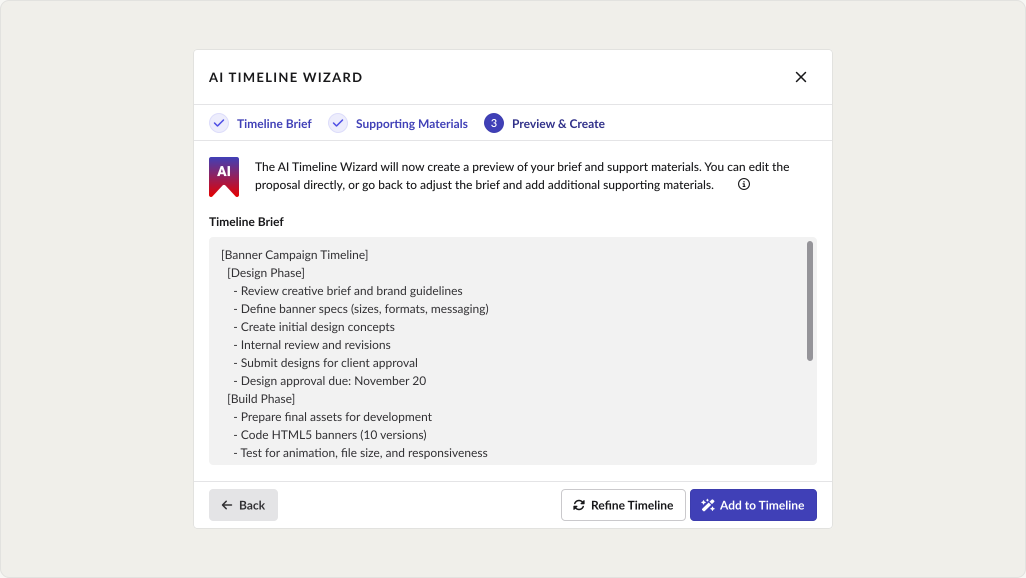
Under deadline pressure the Preview and Create step was cut for launch and the generated timeline committed straight into live projects. Adoption came in under 5%. An inaccurate timeline structures dependencies across budgeting, resourcing and every downstream decision. The review step went back in, was tested, and adoption moved to 25%.
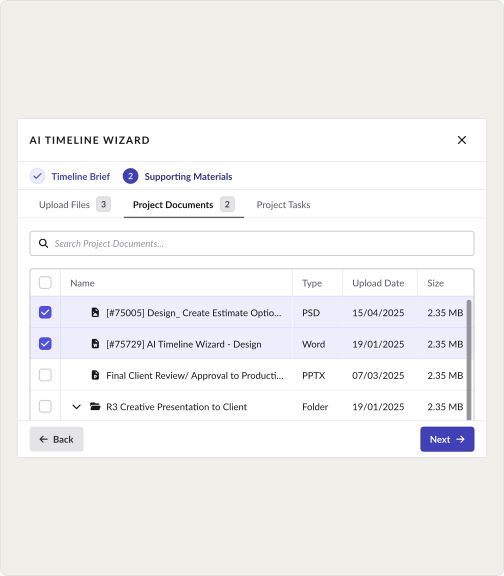
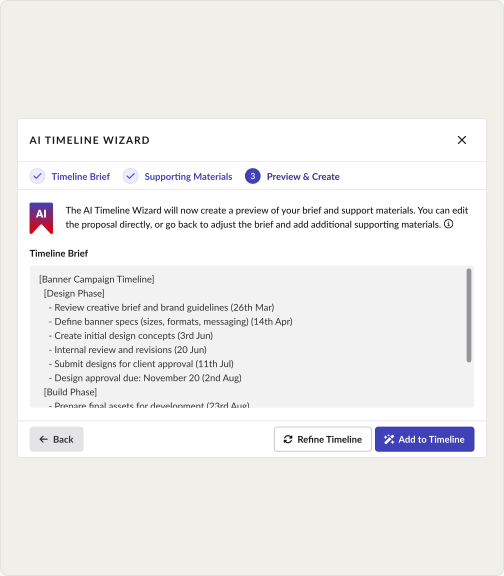

I should have pushed harder for user testing before launch, and I didn't. That's on me.
Now, I ensure at least one early-adopter session before any AI feature ships.
Final Design
Review-Refine, in Its Final Form
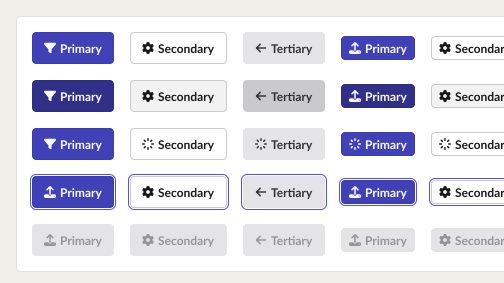
Both AI Task Helper and AI Timeline Wizard shipped as fully styled, on-system components, not one-off AI UI. Here's the finished Review-Refine step for each, styled for production rather than prototyping.
Outcome
Proven Twice, Once the Hard Way
Review-Refine became the reference pattern for every AI feature that followed. When it was skipped under speed pressure, the adoption numbers made the case for why it existed, and the fix validated it. The pattern held across two features with very different stakes.
5 min
Saved per Task (AI Task Helper)
5% → 25%
Feature Adoption (AI Timeline Wizard)
↓60%
Time-to-Create (AI Timeline Wizard)
5 minutes saved measured via post-launch analytics. Adoption and time-to-create measured pre and post the Review-Refine release.
Learnings
1
Trust in AI features is not earned by accuracy alone. It is earned by making the user's ability to catch and fix a mistake visible before they commit.
2
A pattern working in one feature does not mean it transfers to a higher-stakes one without testing. Speed pressure after a successful launch is exactly when testing discipline slips and exactly when it matters most.
Future Planning
Making automation level a system decision rather than a per-feature one. Every AI touchpoint classified by what it costs the user to be wrong, and that classification mapped to a set pattern: direct apply where the output is reversible, Review-Refine where it structures downstream work, an explicit confirmation step before anything irreversible.